
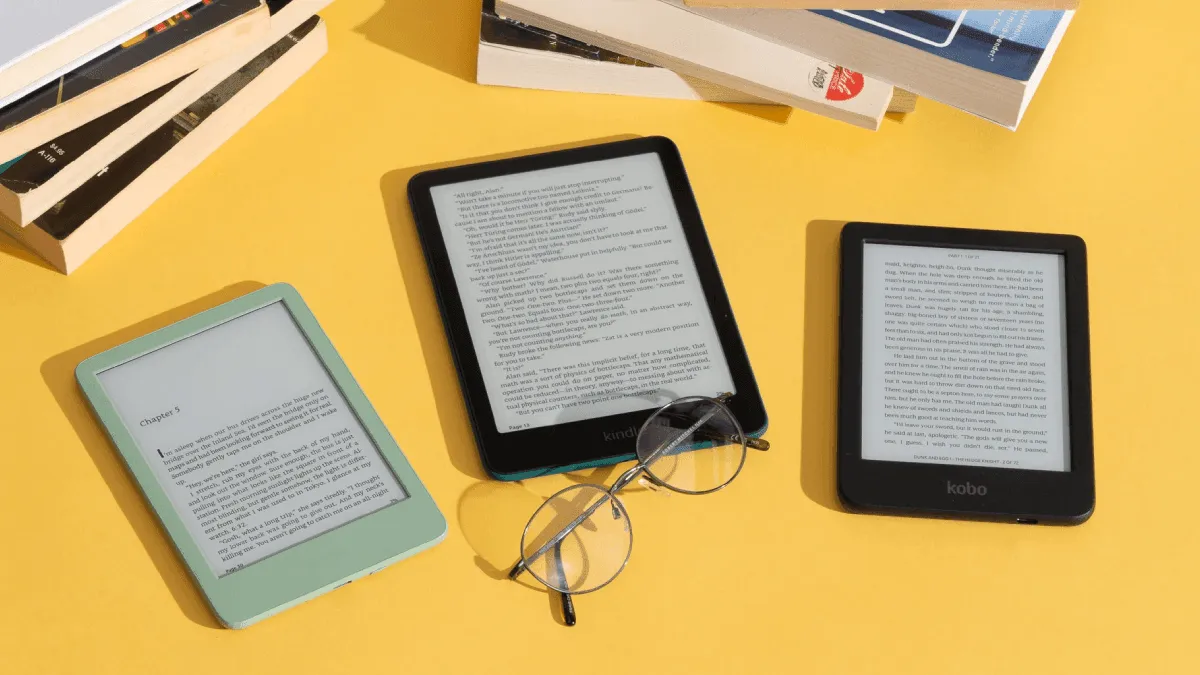
E-readers can save students hundreds of dollars on textbooks while making studying far more efficient. Here’s what to look for, model by model.
Why Students Should Use E-Readers
- Save money — eTextbooks are 40-60% cheaper than print editions, and rental options cut costs even further
- Lighten your backpack — one device holds hundreds of textbooks, course readers, and academic papers
- Search & annotate — find keywords instantly across an entire book, highlight without damaging pages, and export notes to study apps
- Long battery — weeks of reading on a single charge means one less thing to plug in at the library
- Eye comfort — E Ink displays eliminate the screen fatigue that comes from staring at laptops and phones all day
Detailed Comparison: Best E-Readers for Students
| Feature | Kindle Scribe | BOOX Tab Ultra | Kindle Paperwhite | reMarkable 2 |
|---|---|---|---|---|
| Price | $399.99 | $599.99 | $149.99 | $349 |
| Screen Size | 10.2” | 10.3” | 6.8” | 10.3” |
| Resolution | 300 PPI | 227 PPI | 300 PPI | 226 PPI |
| Battery Life | Weeks (writing) / Months (reading) | ~3 days (Android OS) | 10 weeks | ~2 weeks |
| Front Light | Yes (warm + cold) | Yes (warm + cold) | Yes (warm + cold) | No |
| Stylus Included | Yes (Premium Pen) | Yes (Pen2 Pro) | No | Yes (Marker) |
| Handwriting-to-Text | Yes | Yes | N/A | Yes |
| Operating System | Kindle OS (locked) | Android 11 (open) | Kindle OS (locked) | Linux (Codex, proprietary) |
| App Store | No | Google Play | No | No |
| Split-Screen | No | Yes | No | No |
| Water Resistance | No | No | IPX8 | No |
| Weight | 433g | 480g | 205g | 403g |
| Best For | Textbook reading + annotations | Research, apps, power users | Casual reading, portability | Pure note-taking |
| PDF Reflow | Limited | Excellent | Basic | None (fixed layout) |
Best E-Readers by Use Case
For Textbook Reading: Kindle Scribe ($399.99)
- 10.2” display — large enough for PDFs and textbooks without squinting
- Write notes directly on pages with the included Premium Pen
- Convert handwriting to text and export via email
- Kindle ecosystem gives you access to textbook rentals and purchases directly on the device
- The warm light makes late-night study sessions far more comfortable than a phone or tablet
For Academic Papers: BOOX Tab Ultra ($599.99)
- Android 11 OS — install Zotero, Mendeley, or any research management app from the Google Play Store
- Split-screen mode lets you read a paper on one side and take notes on the other simultaneously
- PDF reflow reformats multi-column academic papers into a single scrollable column, making dense journal articles readable on a 10.3” screen
- The dedicated GPU chip makes scrolling through long PDFs noticeably smoother than any other E Ink device
- Keyboard case accessory turns it into a distraction-free writing machine for drafting papers
For Budget-Conscious Students: Kindle Paperwhite ($149.99)
- The most affordable entry point at under $150
- Works with Libby and OverDrive for free library textbook loans
- 10-week battery life means you charge it roughly twice a semester
- Compact 6.8” size fits in a jacket pocket — perfect for reading between classes
- While you can’t write on it, the highlight and note system syncs across devices via the Kindle app
For Note-Heavy Courses: reMarkable 2 ($349)
- Best handwriting feel on any digital device — the textured surface genuinely feels like paper
- Distraction-free by design: no browser, no notifications, no app store
- Upload lecture slides as PDFs and annotate directly on them during class
- Infinite scroll pages for taking notes that don’t run out of space mid-lecture
- The desktop and mobile apps keep all your notebooks synced and searchable
Textbook Formats: PDF vs EPUB for Academic Use
Understanding which format works best for academic reading is essential before buying a device.
PDF is the dominant format for academic papers, journal articles, and scanned textbook chapters. PDFs preserve the exact layout of the original — columns, figures, equations, footnotes — which is critical for STEM material with complex formatting. The downside: PDFs on small screens require constant zooming and panning. A 10” screen is the practical minimum for reading PDFs comfortably, which is why the Kindle Scribe and BOOX Tab Ultra are the right choices for PDF-heavy workloads.
EPUB is a reflowable format, meaning text adapts to your screen size. It’s the preferred format for humanities textbooks, novels, and any text where layout doesn’t carry meaning. EPUBs let you adjust font size, line spacing, and margins freely. All Kindle devices handle EPUB (via Amazon’s Send-to-Kindle conversion), and the experience is excellent on any screen size — including the 6.8” Paperwhite.
For most students, the answer is both. Use EPUB for primary reading and PDF for papers and handouts. The BOOX Tab Ultra handles both natively without conversion, while Kindle devices require sending PDFs through Send-to-Kindle for annotation support.
Annotation Workflows That Actually Work
Randomly highlighting paragraphs doesn’t help anyone retain information. Here’s a workflow that turns e-reader annotations into useful study material:
- First pass — Read without highlighting. Just absorb the argument.
- Second pass — Highlight key claims, definitions, and evidence. On the Scribe or reMarkable, write margin notes explaining why you highlighted.
- Export — Send all highlights and notes to your computer or phone. Kindle emails them; BOOX exports to Markdown; reMarkable syncs via the cloud app.
- Organize — Paste exported highlights into Notion, Obsidian, or a simple Google Doc. Tag by course and topic.
- Review before exams — Your exported notes become a condensed study guide. You never have to re-read the entire textbook.
Note-Taking App Recommendations
If you’re using a BOOX Tab Ultra (the only device in this list that runs third-party apps), these are the standout note-taking tools for academic work:
- Obsidian — Local Markdown vault with backlinks. Perfect for connecting ideas across courses. The graph view visualizes how concepts relate.
- Notion — Database-driven organization for tracking readings, deadlines, and lecture notes in one place.
- Zotero — The gold standard for managing academic references. Install the Android app on BOOX and sync your entire research library.
- Evernote — Reliable cross-platform sync if you switch between E Ink and laptop frequently.
On the Kindle Scribe and reMarkable, stick with their built-in note systems and export to your preferred app for long-term organization.
Real Student Use Cases
Medical student, year 2 — Uses a BOOX Tab Ultra with split-screen: textbook on the left, handwritten notes on the right. Installs Anki via Google Play for flashcard review during commutes. The eye comfort is a genuine advantage when you’re studying 8+ hours a day.
English literature major — Kindle Paperwhite for primary texts (cheap or free through Standard Ebooks and Project Gutenberg), Libby for secondary criticism. Exports all highlights to a single Google Doc per course. Spent $150 once and hasn’t bought a physical book in three semesters.
Engineering PhD candidate — reMarkable 2 for reading and annotating arXiv papers. Uploads papers as PDFs, marks them up with the Marker, and syncs annotated copies back to Zotero on the desktop. The distraction-free environment makes deep reading actually happen.
Money-Saving Tips Expanded
- Rent textbooks via Kindle or Kobo. Most rentals run 180 days — exactly one semester — and cost roughly 50% of the purchase price. Return happens automatically; no shipping boxes.
- Use Libby and your university library. Many libraries offer digital textbook access through OverDrive. Connect your library card to Libby on your phone, borrow the textbook, then select “Read on Kindle” to send it to your device.
- Buy the previous edition. Publishers change 5% of content between editions and charge 5x the price. Ask your professor if the older edition is acceptable — most are fine with it, especially in humanities and social sciences.
- Amazon Household sharing. Up to 6 accounts can share Kindle books. Split the cost of a digital textbook with classmates and everyone gets access.
- Project Gutenberg and Standard Ebooks offer thousands of classic texts in clean EPUB format — completely free and legal. If you’re taking any literature survey course, check these first before buying anything.
- Wait for sales. Amazon runs Kindle device sales during Prime Day and before each semester. The Paperwhite regularly drops to $99, and the Scribe has been discounted to $299.