
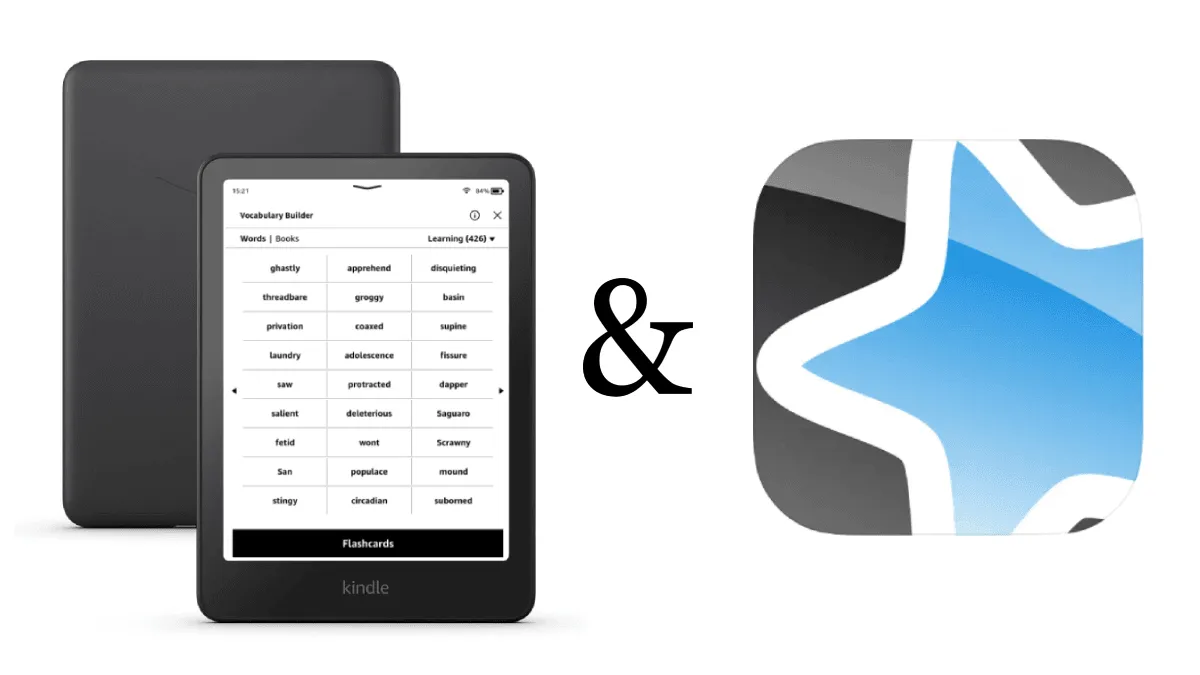
Kindle’s Vocabulary Builder is the most underrated feature on the device. Every word you look up is automatically saved with the sentence you found it in. Most people don’t even know it exists. (If you’re learning a specific language, also see our Japanese Kindle setup guide and guide to learning any language with an e-reader.) Here’s how to turn it into a serious spaced-repetition tool.
Where Vocabulary Builder lives
On a Kindle: tap the three-dot menu → Vocabulary Builder. You’ll see every word you’ve ever looked up, organized by book. Tap a word to see the definition and the original sentence. Swipe through them like flashcards.
The built-in review is basic but functional. Tap Flashcards at the bottom to quiz yourself. It shows a word, you try to recall the meaning, then tap to see the definition and mark whether you got it right or wrong.
The hidden problem: no spaced repetition
Kindle’s flashcard system doesn’t use spaced repetition. It shows every word the same way, regardless of how well you know it. Words you’ve mastered still appear. Words you keep forgetting don’t appear more often.
For serious vocabulary retention, you need to export your words to a dedicated spaced-repetition system. Anki is the gold standard.
Exporting to Anki
Connect a Kindle to your computer via USB. The vocabulary database lives at:
Kindle:/system/vocabulary/vocab.dbThis is a SQLite database. Tools that read it:
Using a Kindle vocab exporter tool: Search GitHub for “kindle vocabulary anki” to find community-maintained Python scripts that extract a Kindle vocab database and generate Anki decks with definitions and sentence context. Free, open source, requires basic command-line comfort.
Using an online converter: Several web-based tools let you upload your vocab.db file and get a formatted flashcard deck. Search for “kindle vocab to anki online” to find current options — these services come and go, but the process is always the same: upload the database file, download the deck.
For a related workflow, see our guide to exporting Kindle highlights — similar USB-based extraction, but for your highlights and notes instead of vocabulary.
After importing into Anki, you get real spaced repetition — words you know appear less often, words you struggle with appear more. The Anki algorithm adjusts to your memory, not just a flip-through.
Build a daily routine that sticks
Morning: Read on Kindle for 20 minutes. Look up every word you don’t know, even if you can guess from context.
Evening: Open Anki. Review your daily cards — typically 10-20 new reviews per day if you’re reading regularly. This takes 5 minutes.
Weekly: Export a Kindle vocab database and sync to Anki. This adds any new words from the week.
After a month of this routine with Japanese, I went from looking up every third word on a page to looking up 2-3 words per page. The system works because it’s automated — you just read, and the review happens later without any effort on your part.
What this works for (and what it doesn’t)
Vocabulary Builder is great for: individual words and short phrases. Any language with a Kindle dictionary available works out of the box — Japanese, Chinese, Korean, Spanish, French, German, Italian, Portuguese, and many more.
It’s not great for: grammar patterns, sentence structure, or listening comprehension. For those, you’ll need actual study materials. But for vocabulary acquisition — which is 70% of language learning — this workflow eliminates the need for separate vocab study entirely.
Related
- How to learn Japanese with a Kindle — The full setup: dictionaries, graded readers, and Vocabulary Builder for Japanese learners.
- Learn any language with an e-reader — The universal language-learning setup that works across Kindle, Kobo, and Boox.
- Kindle highlights export guide — Export your highlights and notes for review, research, or sharing.