
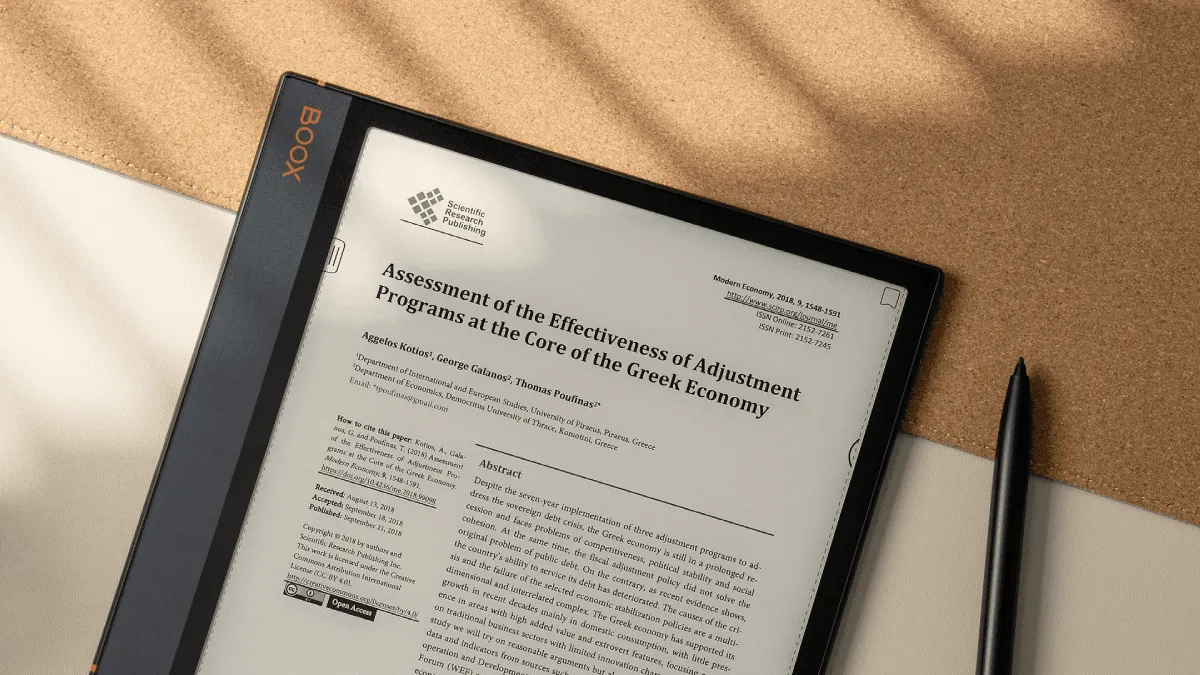
I bought my first large-screen e-reader because I was tired of printing academic papers, annotating them by hand, and losing them under piles of other papers. A year later, my tablet gathers dust and my e-reader handles everything work-related.
Why e-ink beats screens for long work sessions
The single biggest productivity gain nobody talks about is eye comfort. After staring at an LCD monitor for eight hours at work, the last thing I want is to decompress with more bright pixels. E-ink’s reflective display — lit from the front, not blasting light directly into your eyes — means zero eye strain even after a two-hour deep reading session. This matters for knowledge workers who already hit their screen limits by lunchtime. A tablet might handle PDFs technically, but after a full workday, your eyes will thank you for picking up an e-reader instead.
There’s also the distraction angle. My iPad was theoretically a reading device, but it also had Slack, email, Twitter, and a web browser. Every notification pulled me out of a paper. An e-reader does one thing and does it well. You can’t accidentally open YouTube. That single-purpose nature is a feature, not a limitation, when you’re trying to get through dense material.
The research workflow that works
Here’s my actual workflow for research, refined over two years of graduate-level reading: upload papers via Dropbox to a shared folder that syncs automatically to my Boox device. I highlight key arguments in yellow and data points in blue — a simple two-color system I learned after trying and abandoning a seven-color scheme that required a legend. I export all highlights into a single note file at the end of each week. This batch approach works better than exporting per-paper, because letting highlights pile up turns into a mess I never clean. The exported file gives me a searchable summary of everything I read that week, which I can drop into Obsidian or Notion for long-term organization.
For meeting notes, I organize by date and project name. On Boox devices, the handwriting-to-text conversion has improved enough that I can paste meeting notes directly into shared team documents without retyping. It’s not perfect — technical terms sometimes get mangled — but it saves me the 20 minutes of transcription I used to do after every meeting. The reMarkable 2 has the best writing feel on the market. It genuinely mimics pencil on paper in a way that makes writing pleasurable rather than a chore. But it’s strictly a notebook, not a reader — the PDF reading experience is barebones compared to Boox or even the Kindle Scribe. If note-taking is your primary use case and you already have a separate reading device, the reMarkable is unmatched. For mixed reading and writing, Boox or the Kindle Scribe is more practical.
Documentation and study workflows
For textbook-heavy study sessions, a 10-inch screen is non-negotiable. I tried using my 6-inch Paperwhite for a programming textbook once and spent more time pinch-zooming than actually reading. Landscape mode helps with wider page layouts, and PDF reflow on Boox is excellent for dense academic columns — it intelligently re-wraps text so you can read at a comfortable font size without horizontal scrolling. The built-in search function across devices is a lifesaver during exam season: search for a term across a 500-page textbook and jump straight to every mention in seconds.
When studying technical documentation — API references, framework guides, language specs — I keep two things on the device: the primary document and a running notes file. Split-screen on the Boox Note Air makes this seamless. Read on the left, jot notes or code snippets on the right. I export those notes as Markdown later and they go straight into my project documentation.
Another underrated workflow: reading long-form articles and reports. Tools like Pocket and Instapaper can send articles to Kindle, and services like Readwise can compile your highlights into a daily email review. I send every long-read article over 2,000 words to my e-reader. It takes 30 seconds per article and means I actually finish them instead of skimming the first third and opening a new tab.
E-reader vs tablet vs laptop: when to use what
Each device has its place. I use my laptop for active work — writing code, composing long emails, building presentations. I use my tablet for media consumption — video calls, watching lectures, browsing visual-heavy content. I use my e-reader for reading-intensive tasks: research papers, long documents, textbooks, and any material I need to annotate by hand.
The crossover points matter. A tablet with an Apple Pencil technically does everything an e-reader can do, but the glass screen feels wrong for extended writing and the battery dies within a day of heavy use. My Boox lasts two weeks on a charge with daily use. That reliability means I never find myself with a dead device when I need to review a document before a meeting. A laptop is objectively better for creating content, but terrible for reading it — the upright screen posture isn’t comfortable for the hour-plus sessions that deep reading requires.
Recommended devices for productivity
For students and researchers needing to read and annotate PDFs heavily: the Boox Note Air 3 C or Kindle Scribe. Both have 10-inch screens, stylus support, and decent PDF handling. Boox runs Android, which means you can install OneNote, Evernote, Zotero, and other research tools directly on the device. The Kindle Scribe is simpler — it runs Amazon’s locked-down OS — but the software is more polished and the pen-to-paper latency is slightly better.
For professionals who mostly read documents and occasionally annotate: a 7- or 8-inch Kobo Sage or Boox Page gives you a portable device with stylus support in a smaller form factor. These fit in a jacket pocket and are ideal for reading contracts, proposals, and reports on the go.
For the note-taking purist who already has a reading device: the reMarkable 2 is still the best digital notebook available. Pair it with a Kindle for reading and the combination covers every work scenario.
Apps and tools worth installing
On Android-based e-readers like Boox: OneNote syncs handwriting across all your devices, Evernote is excellent for research clipping and web capture, and Notion works for project notes and databases. Pocket and Instapaper handle long-form article delivery to Kindle devices. Zotero integrates with Boox for managing academic citations and PDFs. Calibre, running on your desktop, is essential for format conversion and library management regardless of which device you use.
Skip real-time communication apps on e-ink. Slack and Teams technically run on Android e-readers, but the refresh rate makes typing and scrolling painful. Reserve those for your phone or laptop. The e-reader’s strength is focused, single-task work — lean into that.
A few practical tips that tripped me up early on: EPUB is almost always better than PDF for reading on e-ink because it reflows text to fit your screen and font size. Convert Word documents or Google Docs to EPUB before sending them to your device. Cloud sync is essential — I use Dropbox because it works across Kindle, Kobo, and Boox with minimal friction. Keep work and personal libraries in separate collections. I learned that lesson the hard way after a client saw my fiction library during a screen share.